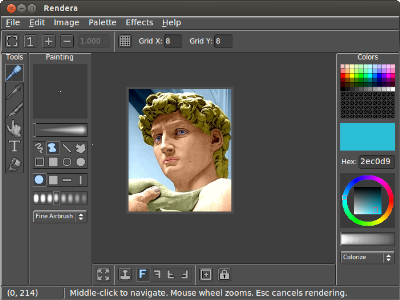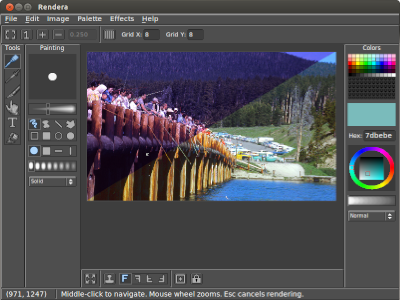
Rendera is an open-source painting program for Windows. The tools, shapes, blenders, edge-wrapping, and cloning may all be combined to suit a particular need. The program is different in that brushstrokes are computed and rendered after being drawn. Some uses for Rendera include photo restoration, colorizing, making seamless tiles, etc.
Please post bug reports or comments on SourceForge, I will see them eventually.
Source code is provided under the terms of the GNU General Public License. A standalone executable is provided in the package.
Only 24-bit BMP and JPEG images are supported, so paletted images will be saved in 24-bit color (but will look like the paletted image). For now, further conversion must be done in some other program.
Rendera allows reatime preview of indexed and grayscale modes. The internal image is always truecolor. Selecting "apply colors" will keep the changes permanent.
Truecolor |
Grayscale |
Indexed Color |
Optimal palettes may be generated by selecting "create" under the palette menu. Rendera uses an approximation of Pairwise Clustering to produce high-quality images.
Original Image |
4 Colors |
16 Colors |
256 Colors |
Almost all program functions (art tools, shapes, blending modes, wrapping, cloning, etc.) may be combined to achieve various effects.
Brush Strokes |
Watercolor Simulation |
Enable the wrap mode and everything you draw will wrap around the edge. Image scaling can also wrap. The offset tool lets you interactively scroll the image.
Enable the clone tool, select a mirroring option and press space to set the clone target. Cloning works with everything else, including wrapping.
Rendera features luminance-exact colorizing. This means you can recolor an image infinitely with no degradation. It also means that colorized images will look less phony.
Scanned Image |
Colorized Result |
A number of special effects are available in Rendera:
Original Image |
Enhance |
Stretch Contrast |
Multi-Tone |
Rotate Hue |
This option is helpful for drawing sprites.
Scales the image (with gamma correction) to the specified size. If scaling down, then the image will be mipmapped to provide a basic form of antialiasing. Wrapping is preserved if enabled.